

StudyQuest.app review
StudyQuest.app is an AI study app built on a simple idea: you revise from your own material, and games are just how the questions reach you. You upload a PDF, a Word document, plain notes, or a photo of handwritten notes, an advanced AI model turns it into quiz questions, and you play those questions across more than 20 study games. This review walks through how it works, every part of the platform, who it suits, and where it falls short.
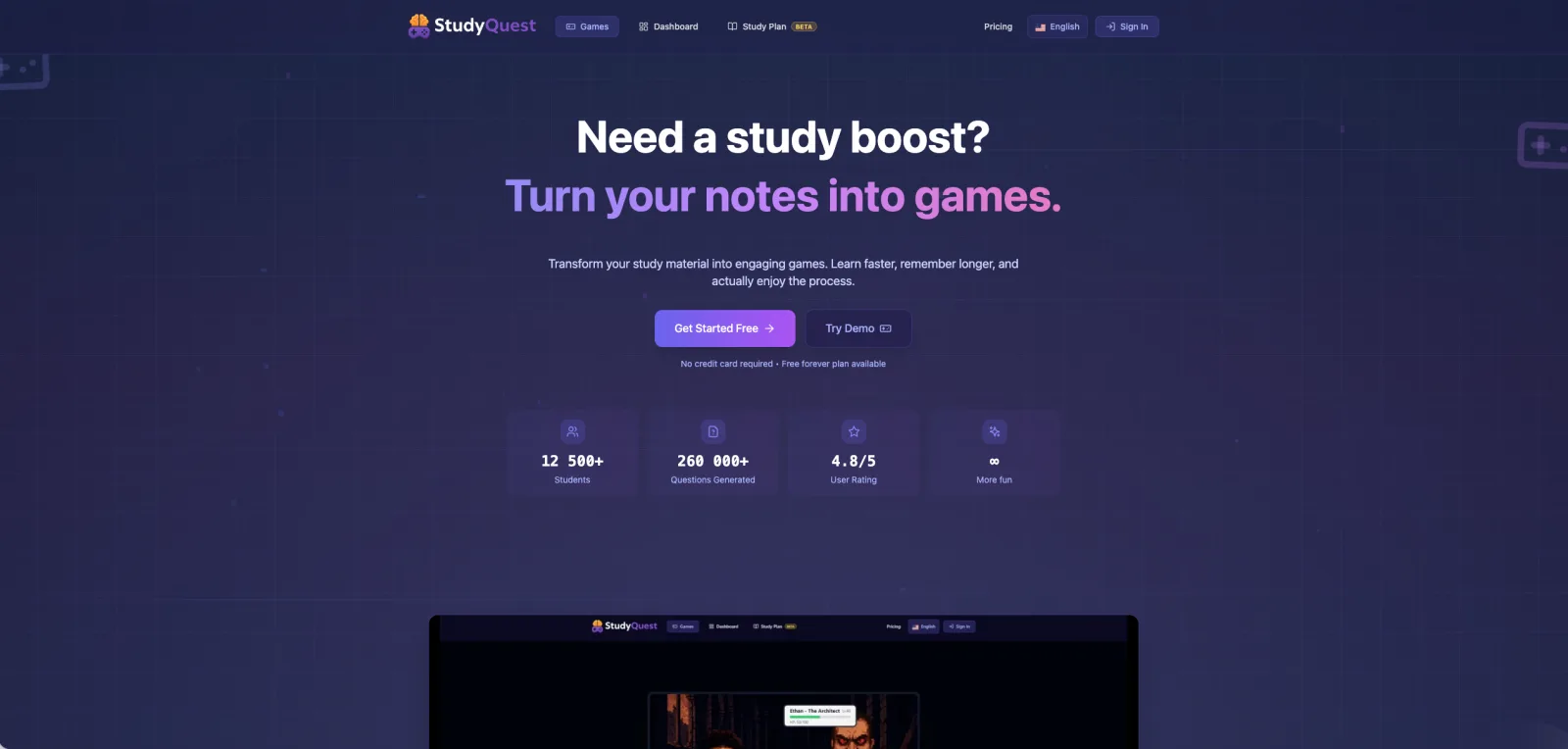
What is StudyQuest.app?
StudyQuest.app is a study platform, not a game site that happens to have a quiz mode. Students come to it to revise, and the games are the delivery mechanism for that revision. Every question you answer, in every game, comes from material you uploaded yourself, so you are always practicing the exact content of your course rather than someone else’s study set.
Three things underneath the games make it work as a study tool rather than a distraction: AI question generation from your own files, a weak-topic tracker that finds the material you keep missing, and AI-built study plans that turn an exam date into a week-by-week schedule. The rest of this review goes through each of them.
Who StudyQuest.app is for
StudyQuest.app is built for three groups.
Students revising for exams get the most direct use. You upload lecture notes or a textbook chapter, turn it into questions, and drill them in short sessions while the platform keeps track of what you keep getting wrong.
Teachers can build and curate question packs with the quiz editor, then hand them to a class with an access code. Student and class analytics show who is struggling and on which topics.
Schools can run StudyQuest.app on their own subdomain with their own branding, with separate roles for students, teachers, and administrators.
The common thread is your own material. You bring the notes, the PDF, or the textbook chapter, and StudyQuest.app builds the practice from there. That is the point: the questions stay tied to what your course actually covers, not a generic set someone else made.
How StudyQuest.app works: from PDF to quiz
The loop is short, and it is the same whether you are revising one chapter or a whole syllabus.
- 1
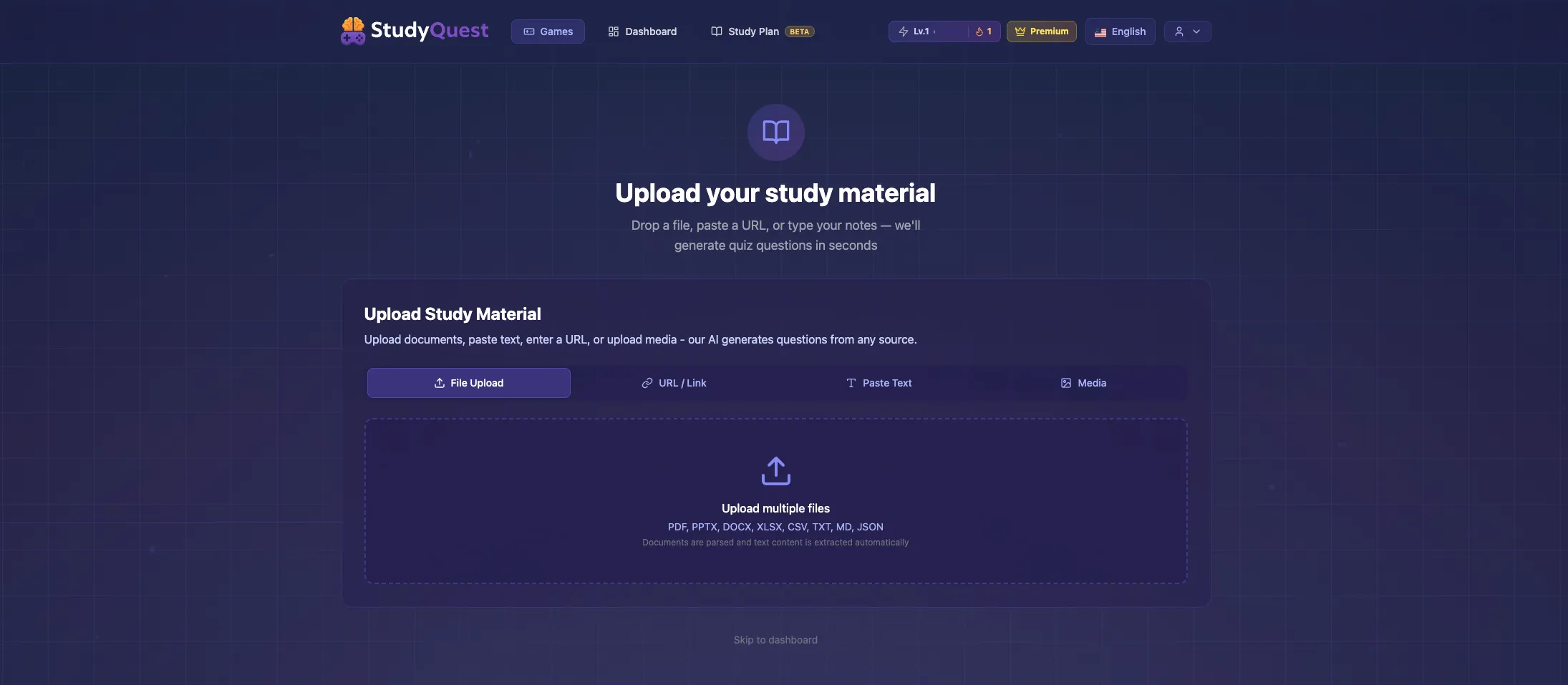
Upload your material
Add a PDF, a Word document, plain text, or even a photo of handwritten notes. StudyQuest.app extracts the text for you, so a lecture handout, a textbook chapter, or your own scrawled notes are ready to use without any retyping.
- 2
AI generates the questions
An advanced AI model reads your material and writes quiz questions from it. A vocabulary normalization step keeps concepts named consistently across question batches, so the same idea is not phrased three different ways.
- 3
Pick a game
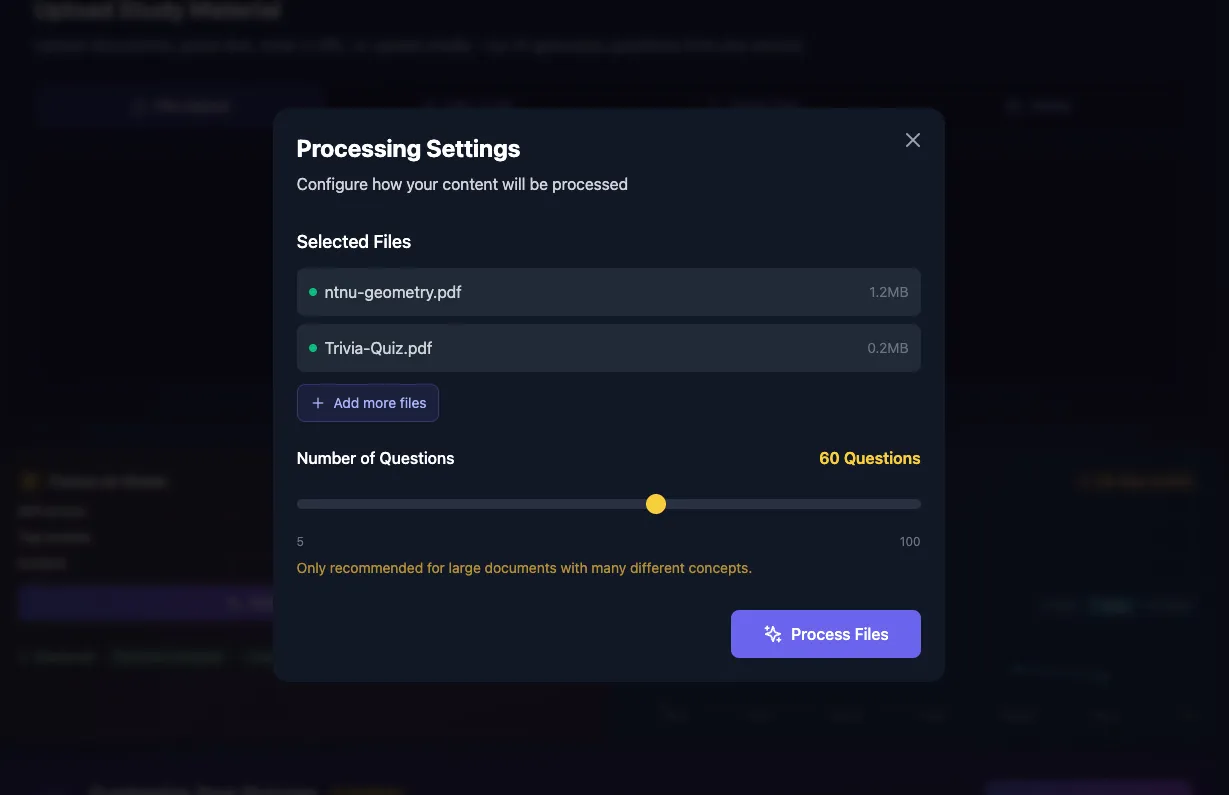
Choose from more than 20 games. Every game is played with your own questions, so the format changes but the content stays exactly what you need to revise.
- 4
Play and review
Wrong answers come with an AI explanation, so a miss turns into something you actually learn from instead of just a lost point.
- 5
Master your weak topics
StudyQuest.app tracks every answer, flags the topics you keep missing, and lets you drill only those until they stick.
The game library: 20+ study games
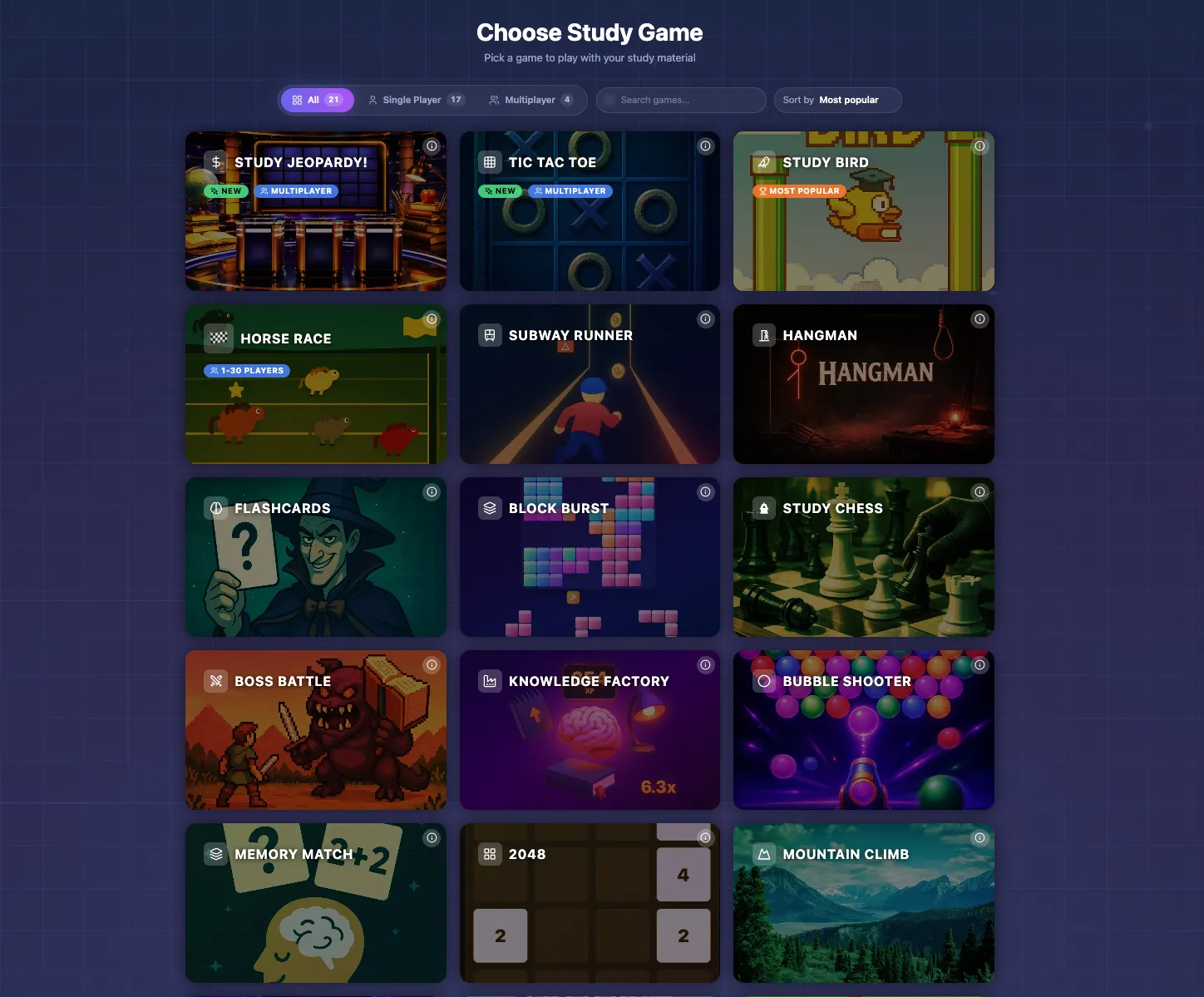
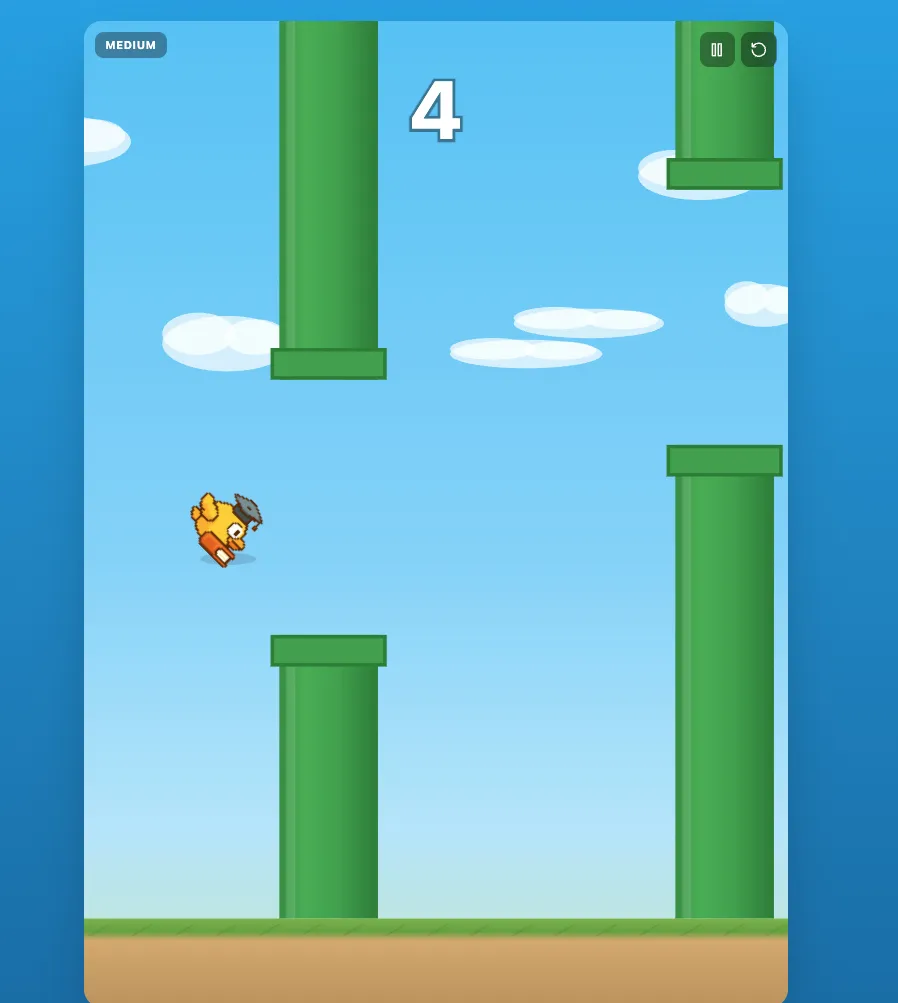
The headline number is the game count: more than 20 games, all of them played with your own questions. The point of having that many is not novelty. Drilling the same questions in the same format gets stale fast, and stale revision is revision you skip. Rotating through different games keeps the same material feeling fresh for longer. The library splits into four broad groups.
Arcade learning
Fast, reflex-driven games where answering correctly is what keeps you alive or moving. Good for short, high-energy revision sessions.
- Snake
- Flappy Bird
- Subway Runner
- Mountain Climb
- Block Burst
- Bubble Shooter
- 2048
- Study Blocks (Tetris-style)
Puzzle and memory
Slower, more deliberate formats built around matching, recall, and connections. Flashcards here run on 3D spaced repetition, and Time Trek adds a speed mode for when you want pressure.
- Memory Match
- Connect & Learn
- Hangman
- Flashcards (3D spaced repetition)
- Time Trek (speed mode)
- Knowledge Factory
Strategy and show-style
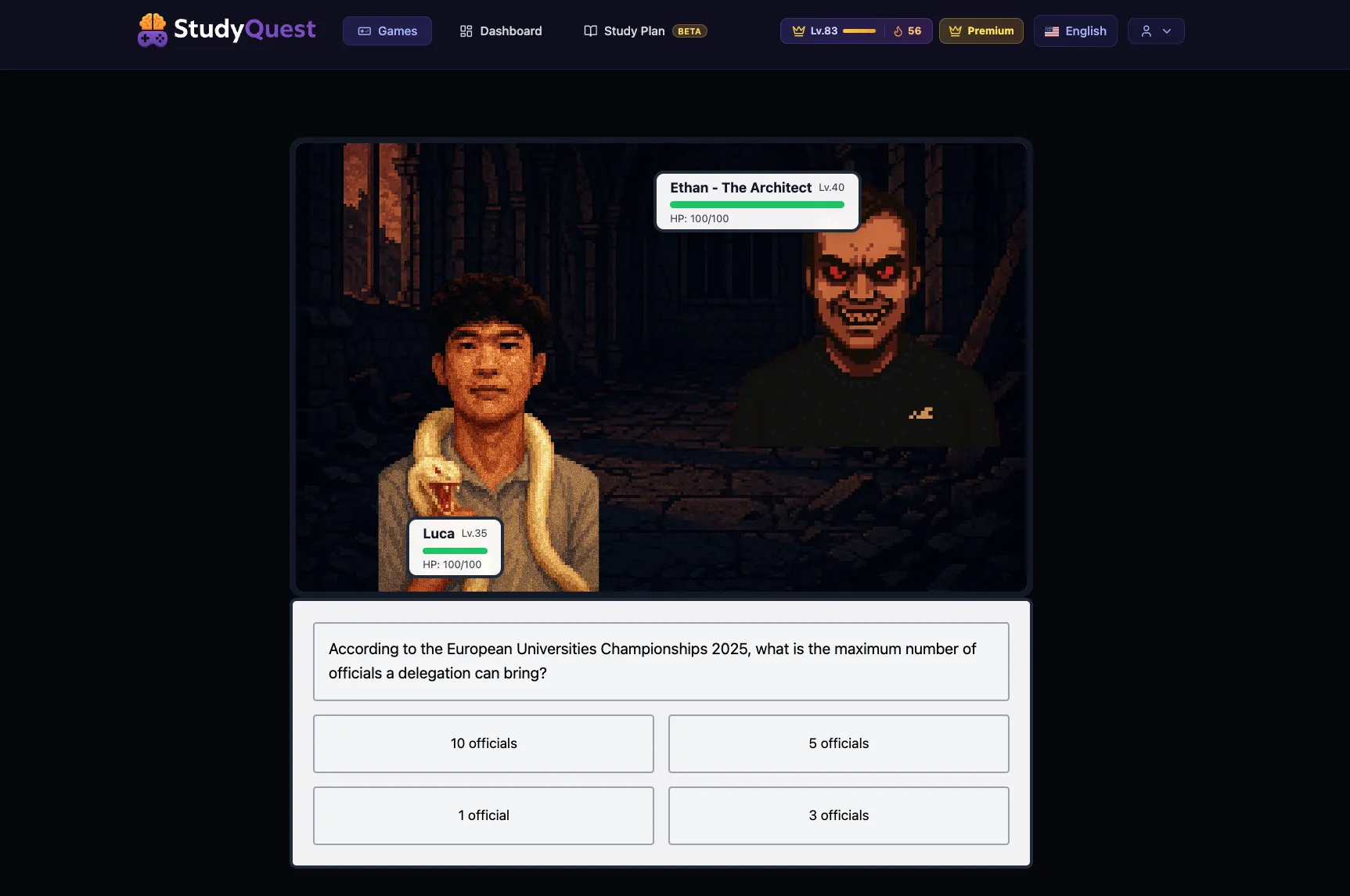
Games with a bit of theatre to them. Millionaire gives you Ask-AI, 50-50, and audience lifelines. Boss Battle is a cinematic one-on-one against an enemy. Study Buddy is a pet you keep alive by studying.
- Chess
- Millionaire (Ask-AI, 50-50, audience lifelines)
- Boss Battle (cinematic 1v1)
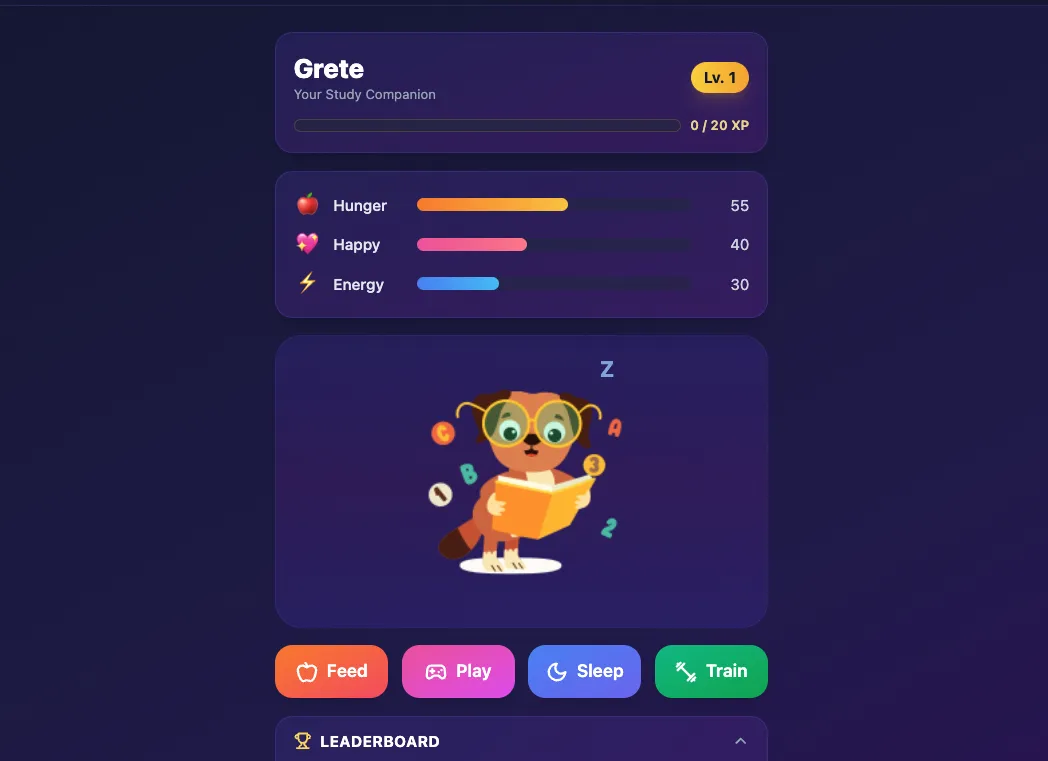
- Study Buddy (Tamagotchi-style pet)
Multiplayer
Live, real-time games against other people. Knowledge Royale is a battle royale with real-time elimination, and Jeopardy runs in multiplayer rooms with chat.
- Knowledge Royale (live battle royale)
- Jeopardy (multiplayer rooms with chat)
- Tic-Tac-Quest (rooms)
- Horse Race (lobby-based)
Study Buddy: keep a pet alive by studying
Study Buddy is StudyQuest.app’s take on a Tamagotchi. Your companion has hunger, happiness, and energy bars that drain over time, and the only way to feed it, play with it, train it, and keep it leveling up is to answer questions. Stop studying and the buddy fades.
There is a global leaderboard for it, so the real contest is simple: who can keep their buddy alive the longest?
Study plans: an AI exam planner
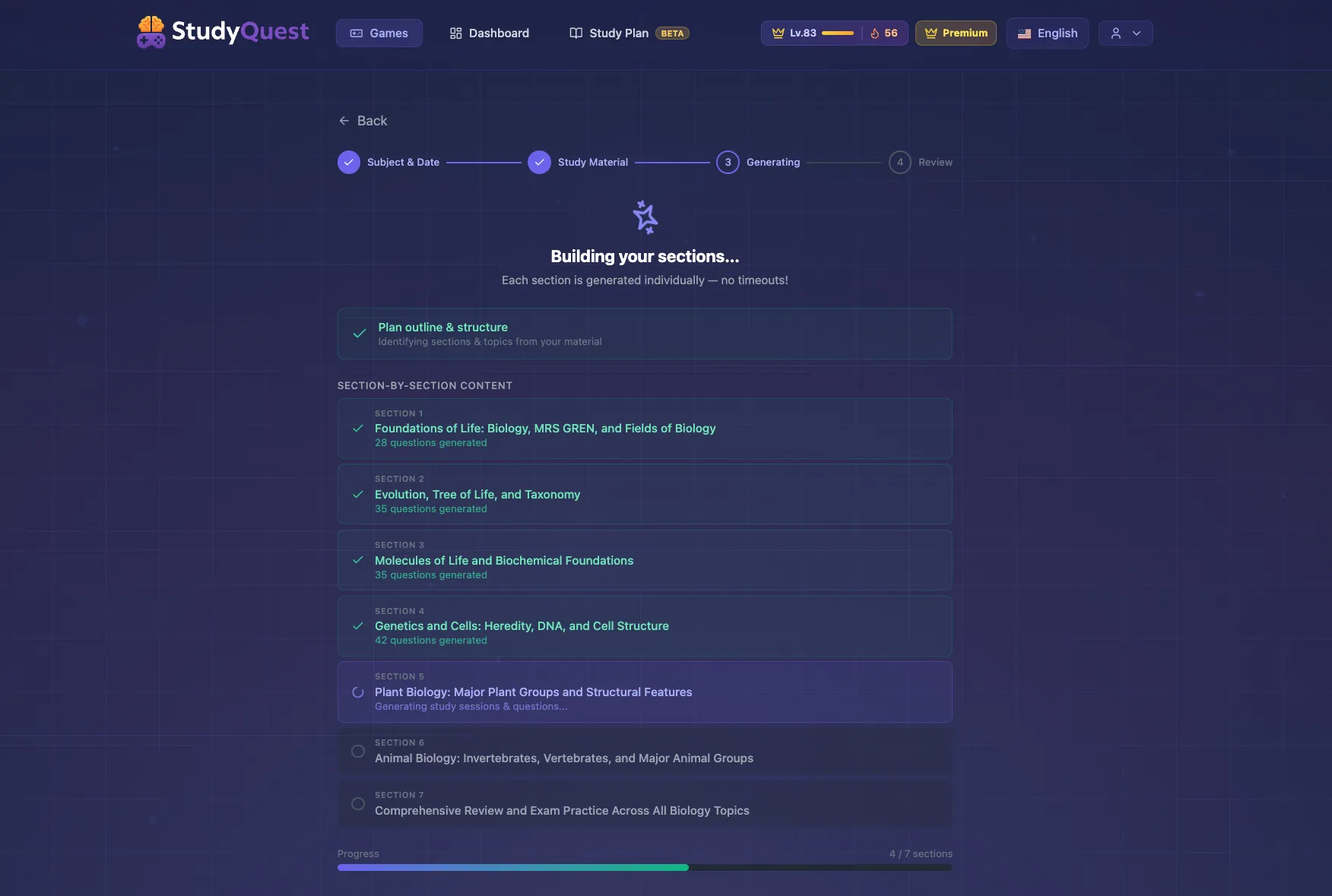
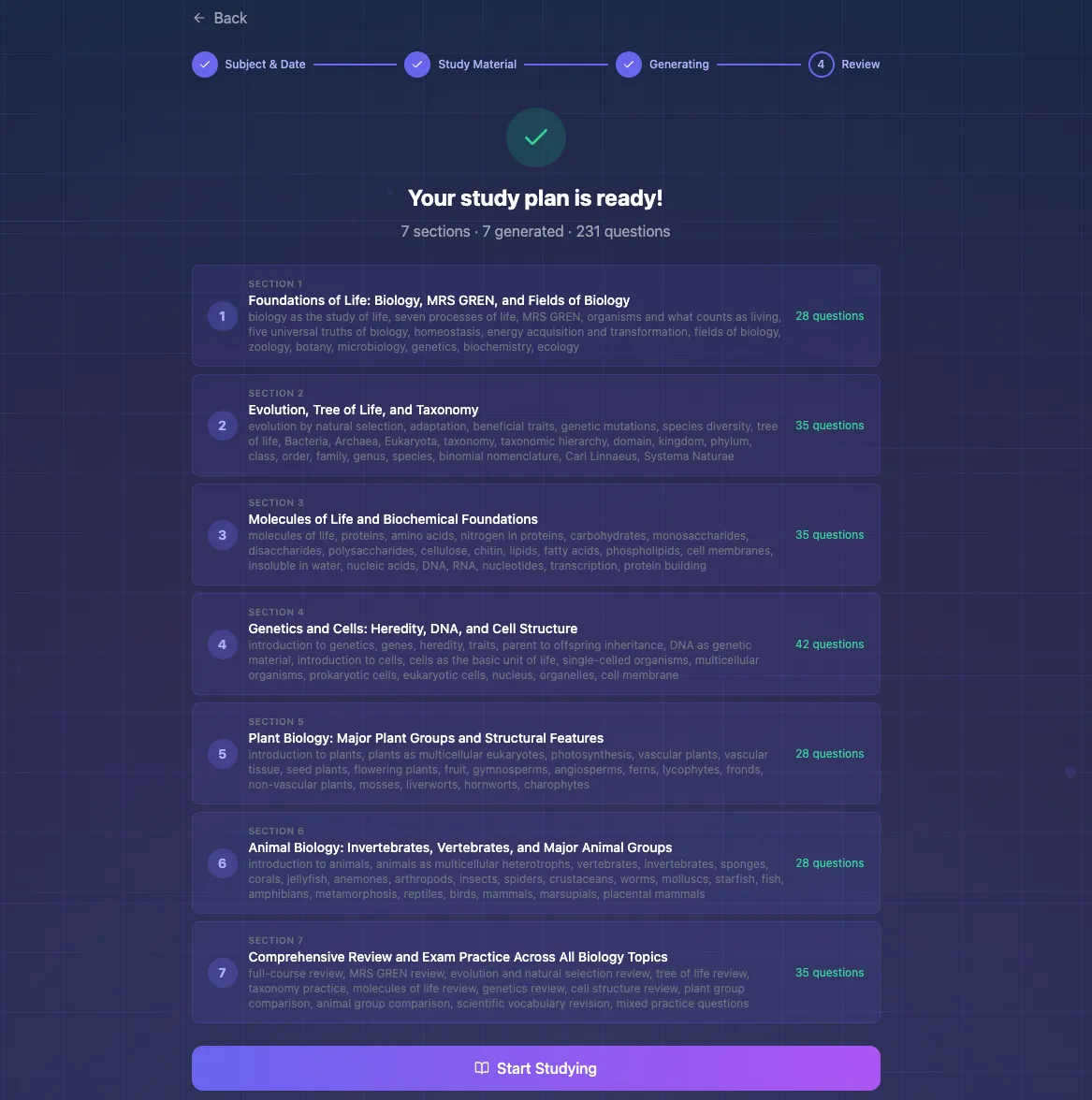
Study Plans are where StudyQuest.app stops being a quiz tool and starts being a revision coach. You tell it what you are studying for, and the AI builds an exam plan with a week-by-week breakdown. Each week comes with its own study guide and its own quiz, so the plan is not just a calendar, it is a sequence of things to actually do.
An AI tutor chat sits alongside the plan for personalized guidance on what to focus on next. The whole plan exports to PDF or to an iCal calendar, so it can live next to the rest of your schedule instead of in a separate app you forget to open.
Weak topics and the mastery system
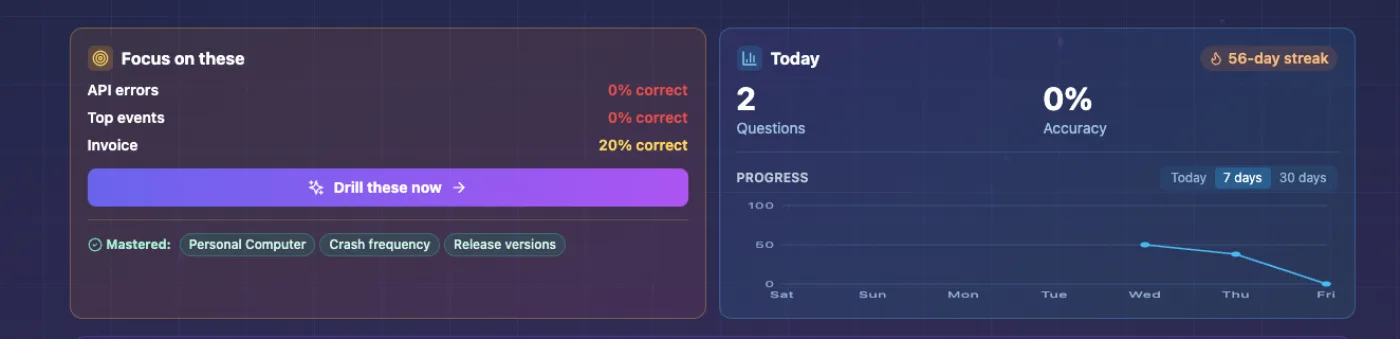
This is the part that makes StudyQuest.app work as a study tool rather than a pile of quizzes. As you play, it tracks every answer across 16 of the games. When you get a topic wrong at least twice, and your last three attempts at it were not all correct, it flags the topic as weak. Get a topic right three times in a row and it marks the topic as mastered, with a celebration panel for the ones you have cleared.
The payoff is mastery drills. Instead of practicing everything evenly, a mastery drill pulls only the questions you have previously got wrong, so your study time goes straight to the gaps. Mastery drilling is a premium feature, and it is the clearest example of premium buying a better outcome rather than just more content: it is targeted active recall on your weakest material.
Sitting on top of all of this is the usual motivation layer: XP and leveling across every game, daily streaks, per-game high scores, and a widget for the day’s progress. None of that is the reason to use StudyQuest.app, but it is the reason you keep coming back to the parts that are.
StudyQuest.app for teachers and schools
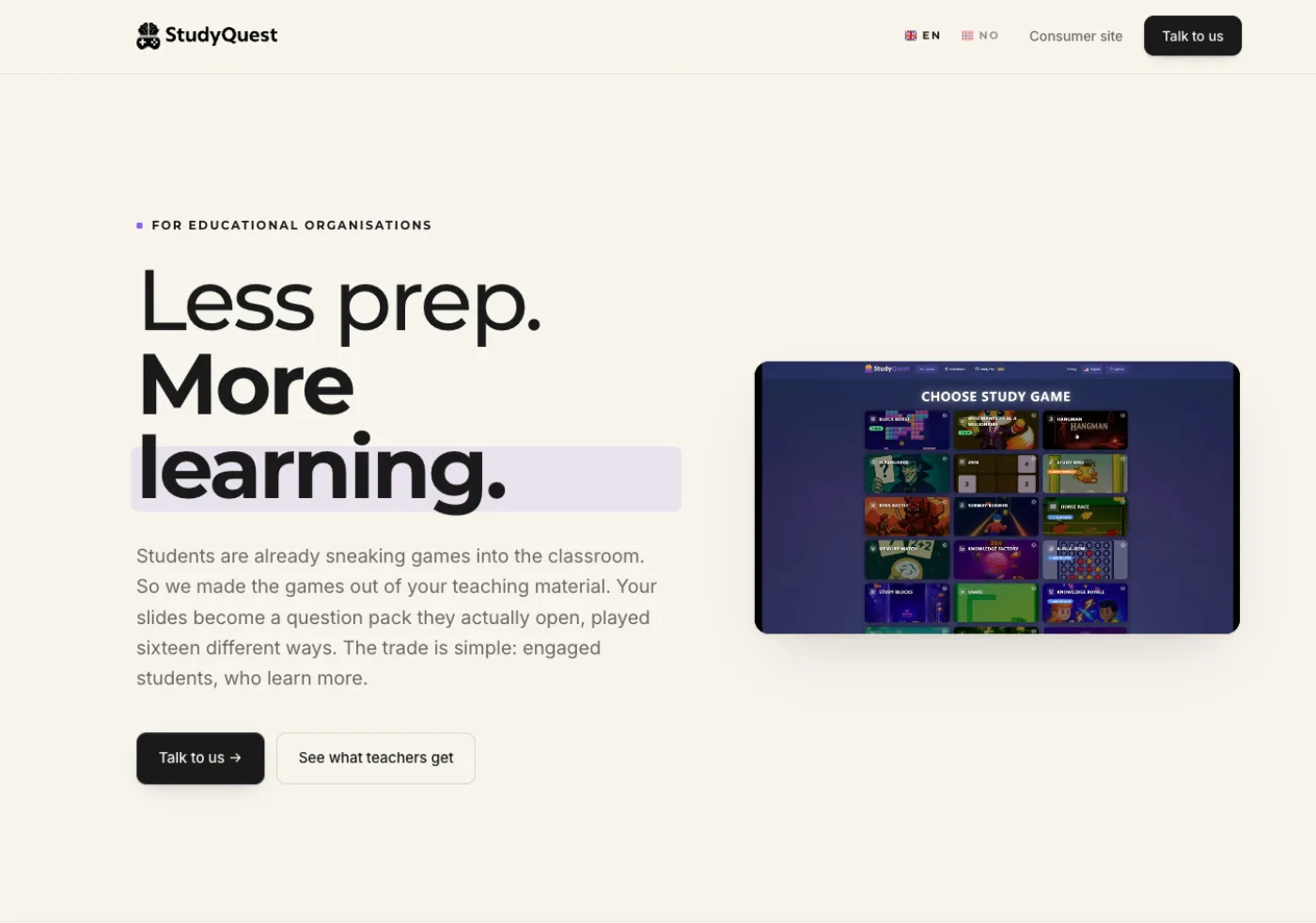
Teachers get their own set of tools. The quiz editor lets you write and curate question packs rather than relying only on AI generation. Class access codes hand a quiz to a whole class without an account-chase. Student and class analytics dashboards show how individuals and the group are doing, so you can see which topics need another pass in the lesson.
Schools can go further with a school account: a custom subdomain, their own branding, and three roles, covering students, teachers, and a super admin for whoever runs it. There are dedicated enterprise pages, localized into several languages, for schools evaluating it at that level.
Pricing: free and premium
The free tier does real work. You can upload material, get AI questions, and play the core games without paying, and for a lot of students that is enough on its own. Few study tools give away this much before asking for money.
When you do want more, premium comes in four lengths: a day pass, weekly, monthly, and yearly. The day pass is the unusual one. Most study tools will not sell you a single day, and it is built for the night-before-a-test cram. Weekly is $4.99 and monthly is $9.99.
Premium is full access with unlimited AI question generation. Several similar tools meter AI use or bill per generation, so the more you study, the more you pay. StudyQuest.app does not. For what you get, it tends to undercut comparable tools, some of which charge close to double for fewer features.
Free
Does real work on its own. Enough for most students.
- • A limited number of questions per document
- • Limited storage for your uploads
- • The basic games in the library
Premium
From $4.99 a week. Full access and unlimited AI.
- + Unlimited AI question generation, with no per-use charges
- + Full access to every game and feature
- + Larger file uploads, so bigger documents go in whole
- + Weak-topic mastery drilling on your past mistakes
- + Multiplayer room creation
- + Advanced student and progress analytics
- + An ad-free experience
There are also two ways to earn premium without paying: suggesting a game, and a monthly draw for students who submit videos.
Languages and global access
StudyQuest.app is fully localized into English, Norwegian, Japanese, and Spanish, each with its own set of routes rather than a bolted-on translation. If you study in one of those languages, the whole platform speaks it.
Privacy and your data
For a tool you feed your own coursework into, the data handling matters. StudyQuest.app is hosted in Stockholm on Supabase Pro infrastructure, and it is GDPR compliant with a full legal stack: a privacy policy, terms of service, a data processing agreement, data retention and data residency documentation, a data subject request process, an incident response policy, and a disclosed list of sub-processors.
Every user record sits behind row-level security, and account deletion removes your data rather than just hiding the account. For a school weighing it up, that is the paperwork that has to exist before anything else gets discussed.
StudyQuest.app: pros and cons
What works
- + Every question comes from material you uploaded, so you practice the exact content of your course, not someone else’s.
- + More than 20 games, so the same set of questions stays fresh instead of turning into a chore you skip.
- + The weak-topic system tracks every answer and pulls your past mistakes back for targeted drilling.
- + Wrong answers come with an AI explanation, so a miss teaches you something.
- + Built-in study plans give you a week-by-week exam schedule, not just a pile of questions.
- + It works for solo students and for teachers running a whole class.
What falls short
- ✕ The free tier caps questions per document and upload storage, so the heaviest daily users will eventually want premium for unlimited AI.
- ✕ Question quality depends on what you upload. Clear notes produce clear questions; a messy scan produces messy ones.
- ✕ It is a newer platform than something like Quizlet, so there is no large library of ready-made public sets to borrow from.
Verdict
StudyQuest.app is doing something more deliberate than it first looks. The 20-plus games are the part you notice, but they are a delivery mechanism. The actual product is the loop underneath: upload your material, get AI questions from it, drill them, and let the weak-topic system push you back toward what you keep missing.
If you have notes or a PDF and an exam coming, it is an easy recommendation. The free tier alone covers most students, the games turn revision into something you actually keep doing, and premium stays cheap if you want unlimited AI. It pays off most when you study from your own course material, which is what you should be revising from anyway.
Visit StudyQuest.appAlternatives to StudyQuest.app
If StudyQuest.app is not the right fit, these are worth a look.

Quizlet
A flashcard platform with a large shared library and several practice modes. Strong for vocabulary, but built around term-and-definition pairs rather than a wide range of games.
Read the Quizlet review
NotebookLM
Works from documents you upload and is good for summaries and answering questions, but it does not turn the material into games or track weak topics.
Read the NotebookLM review
Kahoot
Live, multiplayer quizzes for a classroom. Good for group review, less suited to steady solo revision from your own notes.
Read the Kahoot reviewFrequently asked questions
Can StudyQuest.app turn a PDF into quiz questions?
Yes. You upload a PDF, a DOCX file, plain text, or a photo of handwritten notes, StudyQuest.app extracts the text, and an AI model writes quiz questions from it. Those questions are then playable across the whole game library.
Is StudyQuest.app free?
StudyQuest.app has a free tier with a limited number of questions per document, limited storage, and the basic games. Premium unlocks full access and unlimited AI, sold as a day pass, weekly, monthly, or yearly. Weekly is $4.99 and monthly is $9.99. Pricing can change, so check the current plans on the StudyQuest.app site.
Does StudyQuest.app help with exam revision?
Yes, that is its main use. Its Study Plans feature builds a week-by-week exam plan with weekly study guides and quizzes, and the weak-topic tracker pushes your practice toward the material you keep getting wrong.
What games does StudyQuest.app have?
More than 20, grouped into arcade games (Snake, Flappy Bird, 2048 and more), puzzle and memory games (Memory Match, Flashcards, Hangman), strategy and show-style games (Chess, Millionaire, Boss Battle), and live multiplayer games (Knowledge Royale, Jeopardy). All of them are played with your own questions.
Can teachers use StudyQuest.app with a class?
Yes. Teachers can build question packs with the quiz editor, share them through class access codes, and follow student and class analytics. Schools can run StudyQuest.app on a custom subdomain with their own branding and separate student, teacher, and admin roles.
Is StudyQuest.app good for active recall and spaced repetition?
It is built around both. Every game makes you retrieve answers rather than re-read, the Flashcards game uses spaced repetition, and the mastery system drills your previously wrong questions until you get them right three times in a row.